2 posts tagged with "ratgdo"

View All Tags

· One min read

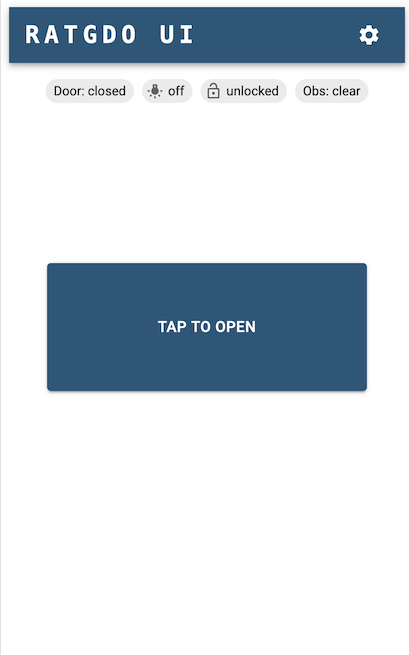
RATGDO UI

I have created a web app based on React, Material UI and mqtt.js to communicate with RATGDO via MQTT.

It's available to download and run as a Docker container - docker pull ghcr.io/kidproquo/ratgdo-ui:v1.0

Setup

Run the Docker container - docker run -d -p 5175:80 --restart=unless-stopped --name ratgdo-ui ghcr.io/kidproquo/ratgdo-ui:v1.0

info

The IP addresses and ports below are only for reference. Those are specific to my setup. Adapt them to suit your setup. I have the docker container's HTTP port mappped to 5175, so the RATGDO UI will be accessible at http://192.168.1.4:5175.
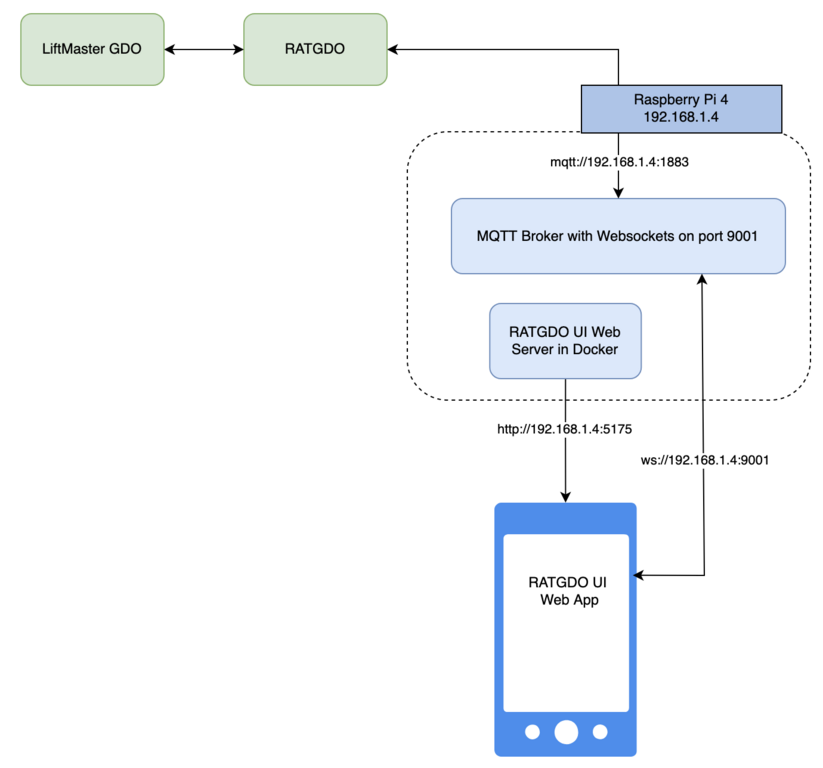
Setup diagram

Requirements

  • RATGDO wired up and running the default MQTT firmware
  • RATGDO configuration set up done (MQTT broker settings, MQTT prefix and RATGDO device name)
  • MQTT broker with websockets enabled

First time access to the UI will show the settings page.
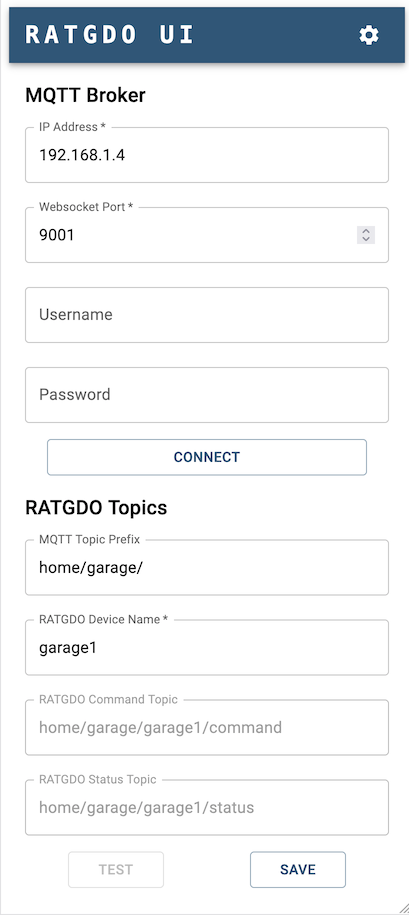
Settings page

You can test connectivity and communication to the RATGDO using the Connect and Test buttons. Tap Save to store the configuration in the browser's data cache (LocalStorage). Subsequent access of the UI should load the settings from the cache.

tip

Tap on the RATGDO UI banner to go to the home screen
· One min read

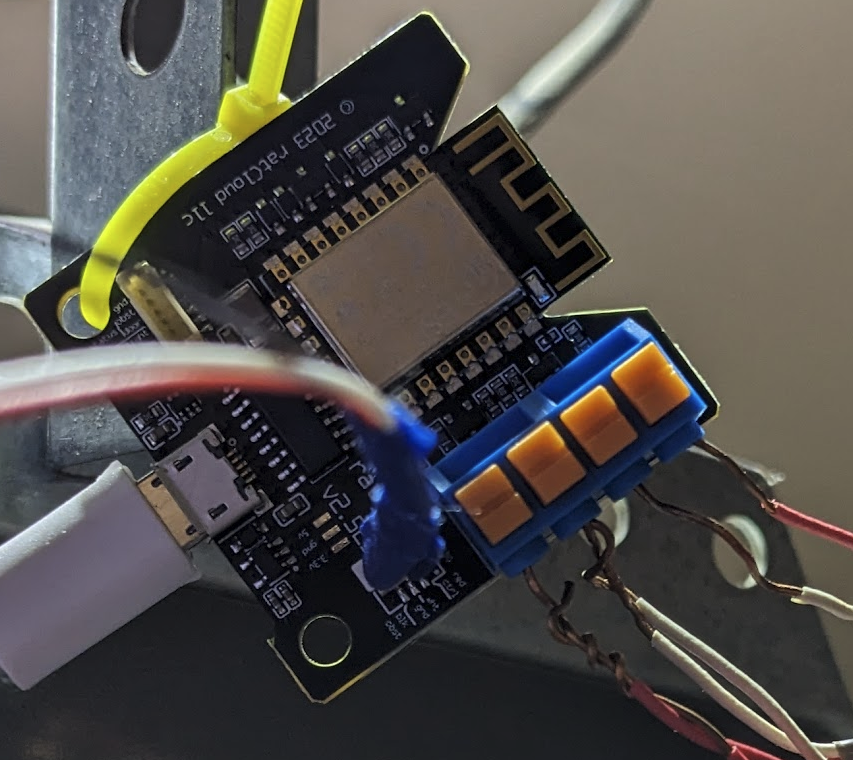
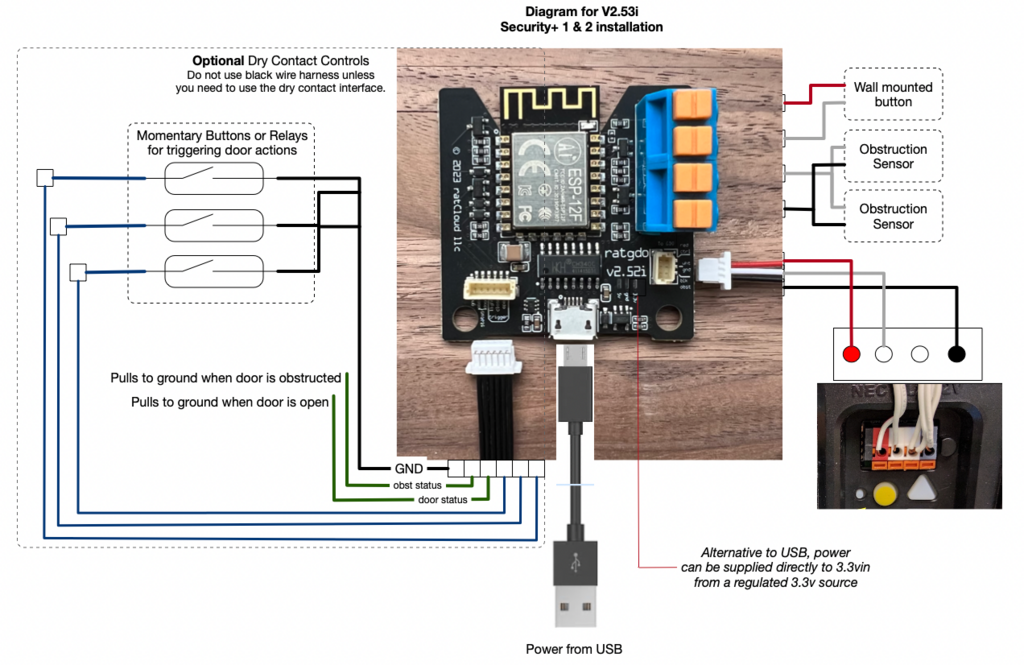
I ordered the v2.5 version of the RATGDO board.

The wiring instructions refer to the newer yellow button version of the LiftMaster Garage Door Opener (GDO).

v2.5 wiring

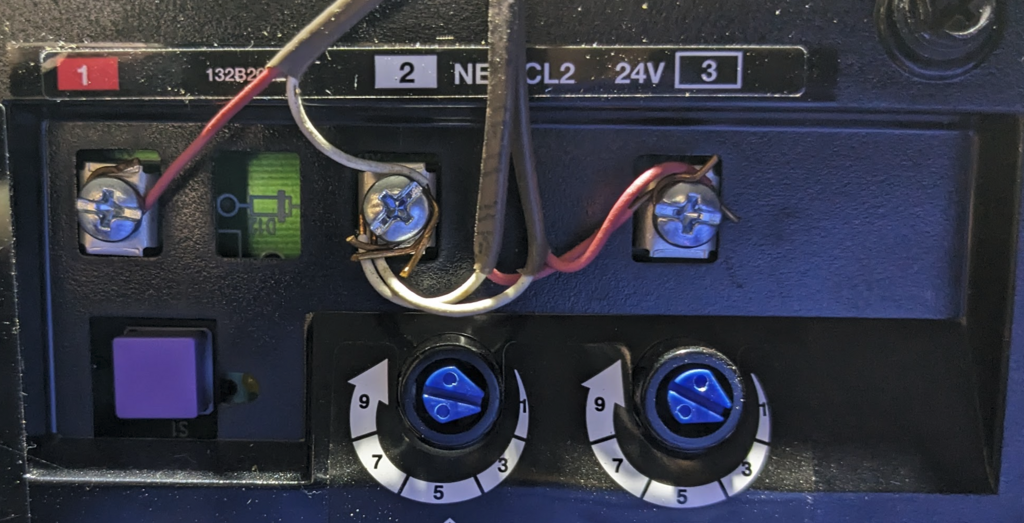
I have a LiftMaster GDO with the purple button.

Liftmaster GDO Purple Button

Steps

  1. Disconnect the wall mounted button leads from the screw terminals on the GDO, labelled 1 and 2. Connect them to the RATGDO passthrough terminals labelled "Wall mounted button" in the wiring diagram.
  2. Disconnect the obstruction sensor leads from the screw terminals on the GDO, labelled 2 and 3. Connect them to the RATGDO passthrough terminals labelled "Obstruction Sensor" in the wiring diagram. Note: you will be twisting the White/Gray ground leads together into a single terminal slot, and the Red leads together into another terminal slot.RATGDO
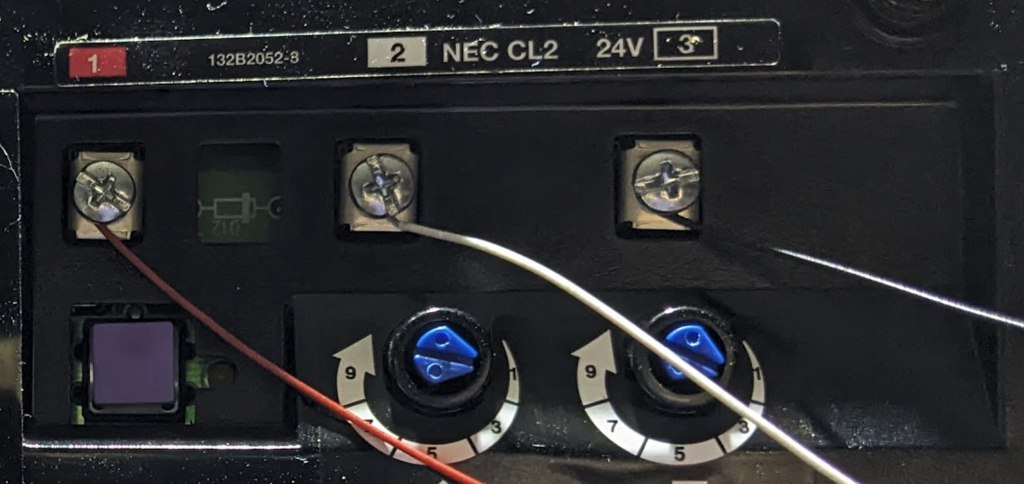
  3. Connect the RATGDO colored leads into the screw terminals on the GDO. RATGDO leads connected
tip

You can skip the first two steps. The passthrough terminals are for convenience so that you don't have too many wires bunched up on the GDO terminals. You can have the RATGDO colored leads simply added to the existing connections on the GDO screw terminals.