I ordered the v2.5 version of the RATGDO board.
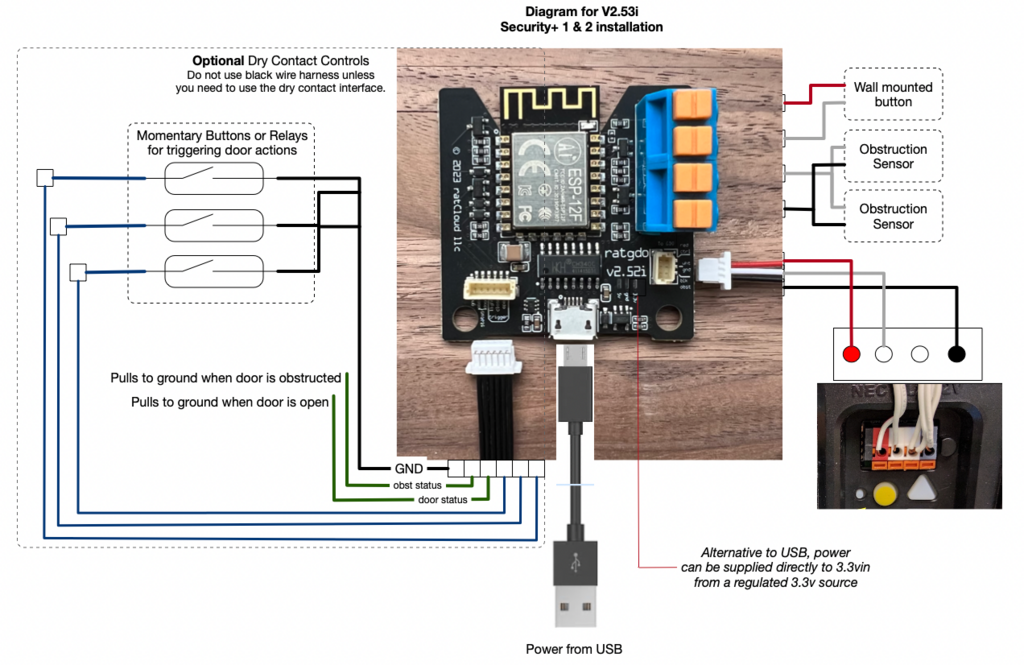
The wiring instructions refer to the newer yellow button version of the LiftMaster Garage Door Opener (GDO).
I have a LiftMaster GDO with the purple button.
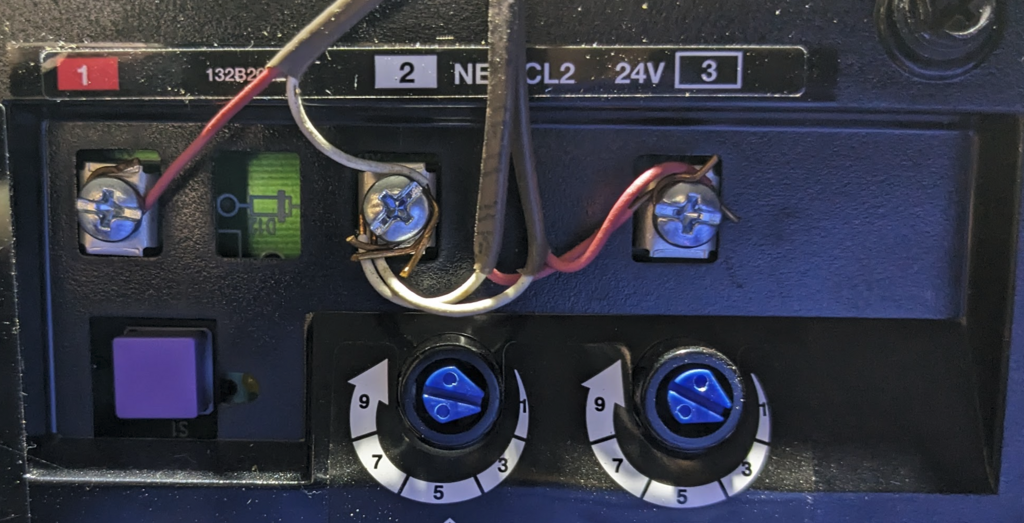
Steps
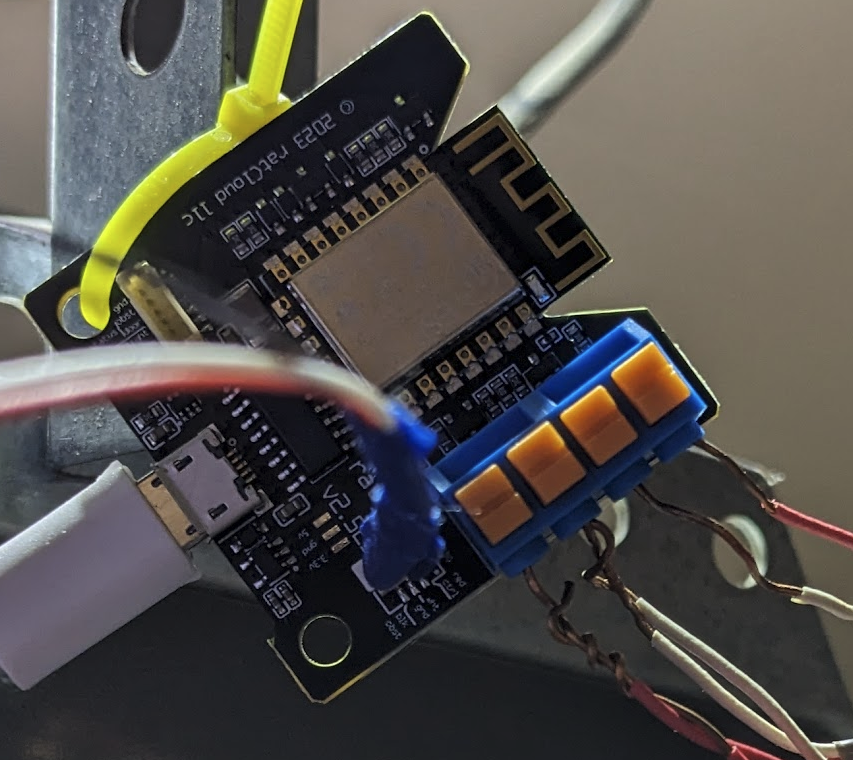
- Disconnect the wall mounted button leads from the screw terminals on the GDO, labelled 1 and 2. Connect them to the RATGDO passthrough terminals labelled "Wall mounted button" in the wiring diagram.
- Disconnect the obstruction sensor leads from the screw terminals on the GDO, labelled 2 and 3. Connect them to the RATGDO passthrough terminals labelled "Obstruction Sensor" in the wiring diagram. Note: you will be twisting the White/Gray ground leads together into a single terminal slot, and the Red leads together into another terminal slot.
- Connect the RATGDO colored leads into the screw terminals on the GDO.
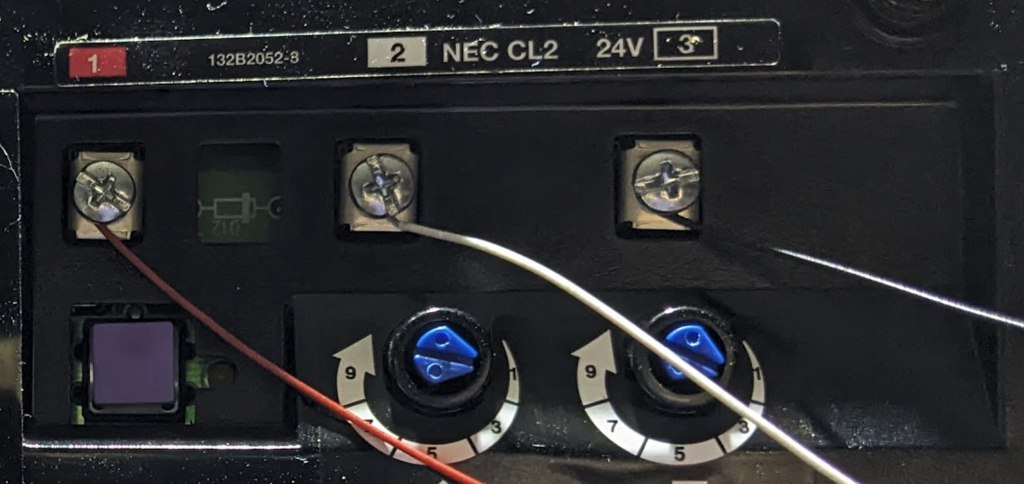
tip
You can skip the first two steps. The passthrough terminals are for convenience so that you don't have too many wires bunched up on the GDO terminals. You can have the RATGDO colored leads simply added to the existing connections on the GDO screw terminals.